Find your fit
Who it is for
It suits product, design and operations teams that need a shared visual explanation before implementation: a flowchart for decisions, a low-fidelity wireframe for a proposed screen, or a document that explains a diagram. Its main strength is visual planning; the docs are useful context around that work.
Teams with mostly read-only reviewers can keep viewers and guests separate from paid editors. Choose the editor count from the people who will actually create and revise boards or docs, then check the rights those reviewers need on each shared file.
The work it supports
Core capabilities
Start with a board for a process or concept. The canvas supports flowcharts, diagrams, wireframes, sticky notes and mind maps; toolbar and connector tools help build the sequence. Group and align related objects so a reviewer can follow the flow.
Add a doc to explain the decisions behind the board. Docs use blocks for headings, paragraphs, lists, images and embeds, and accept pasted Markdown. A board can also be nested under a doc and shown as a preview.
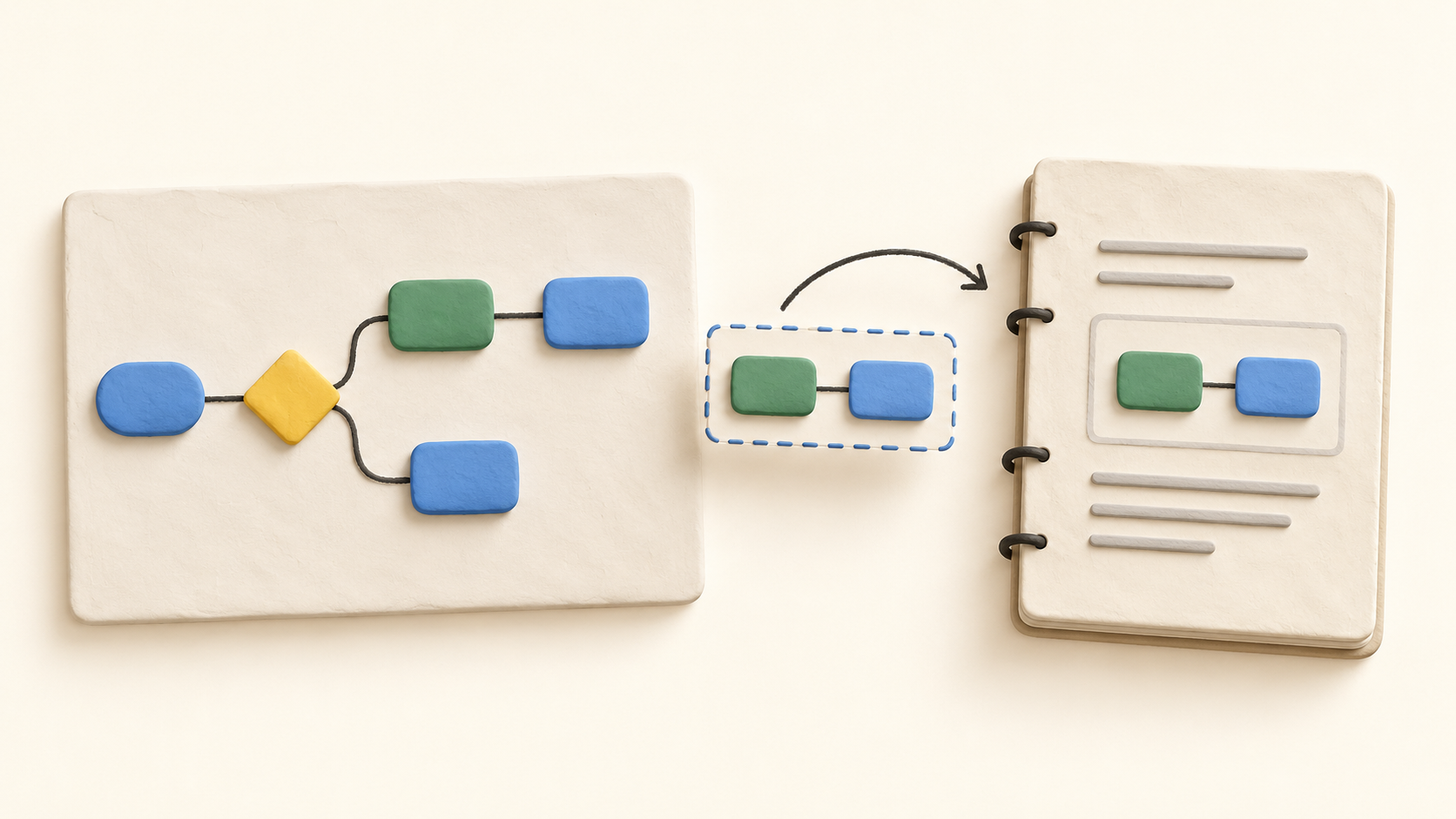
For a live visual inside the writing, copy the whole board or a selected portion into the doc as an embed. The embedded view follows later board changes; readers can open it to inspect the underlying board. This helps keep a design explanation connected to the latest diagram.
Workspace users can edit a shared doc together in real time. Nested files inherit their parent doc’s sharing settings, so inspect a nested board before sharing the doc with a broader audience.
A private file starts without an enabled shareable link. The owner can allow link viewers, commenters or editors, invite guests with file or folder access, and require a password. Test a recipient’s actual access before sending a sensitive roadmap or draft.
Boards can be exported to PNG as a whole image, by frame or by selection. Docs can be downloaded or copied as Markdown, and boards or docs can be printed to PDF. Decide whether the recipient needs a living shared file or a fixed export before distributing it.
Understand the offer
Pricing and getting started
The Free plan allows unlimited boards and docs but caps new content at 50 board objects and 50 doc blocks per month. Exports have a watermark and version history lasts seven days. A team can test the workflow for free, but active diagram creation may reach the monthly creation allowance.
Pro removes those monthly object and block limits and the export watermark, and extends version history to 90 days. The current official pricing Help page lists USD $12 per editor with monthly billing or $120 per editor for a year. Confirm the checkout total and tax before purchase.
Business adds private teams, SAML sign-on, SCIM provisioning, further administrative controls and unlimited version history. The current Help page lists USD $24 per editor monthly or $240 per editor annually. Check the exact control your organization requires before selecting this tier.
Paid workspaces are charged by editor count, while viewers and guests are free. Adding an editor creates a prorated charge for the remaining period; removing one does not refund the seat, though a replacement editor can use it for the rest of the billing cycle.
Every account gets ten AI credits once; they do not reset each month or become included again on a paid plan. Further AI use needs separately bought personal or workspace credits, with usage varying by task. Treat AI generation as an optional extra in the budget.
If a paid workspace is cancelled, existing files remain, but the workspace returns to Free creation allowances. Before a downgrade, check who will keep editing, whether a watermark-free export is needed, and how much new board or doc content will be added each month.
Look a little closer
Before you choose
Try a realistic board-to-doc cycle: sketch a small flowchart, embed a selected portion in a doc, revise the board and verify that the doc shows the changed view. This is the central workflow to compare with separate diagramming and documentation tools.
Share the resulting file with a viewer and an outside guest, then test each link in a separate session. Check view, comment and edit rights on the board, doc and any nested file before the team treats the workspace as a source for sensitive plans.
Export a sample board and doc in the formats the team needs. Free exports include a watermark, while Pro and Business remove it; a static PNG, Markdown or PDF copy will have a different maintenance path from the living Whimsical file.
Budget from editor seats, expected monthly object and block creation, and any AI use. Confirm monthly or annual billing, checkout currency, tax and the effect of adding or removing editors before paying.
9 distinct sources behind this profile. Research observed Oct 26, 2026. Features and offers can change.
View sources and research →
