

Find your fit
Who it is for
Basic fits a solo seller that needs a full online store and its core inventory and order tools. Grow is a more natural comparison for a small team because the Canadian plan table lists five additional staff accounts; Basic lists none. The plan choice should reflect who must access the admin, not only projected sales.
Advanced includes up to fifteen additional staff accounts and live third-party calculated shipping rates, which Grow lists as an add-on; it also offers more ways to tailor selling by region. Plus targets more complex organizations with a different contract and support model. Merchants with a retail counter should separately decide whether the included in-person features meet their needs or whether POS Pro is justified at each location.
The work it supports
Core capabilities
Build the online store with a theme, then customize its sections, settings and content in the theme editor. Shopify offers free and paid themes; a paid theme can be previewed before purchase. Theme compatibility and support vary, and only one theme is published for a store at a time.
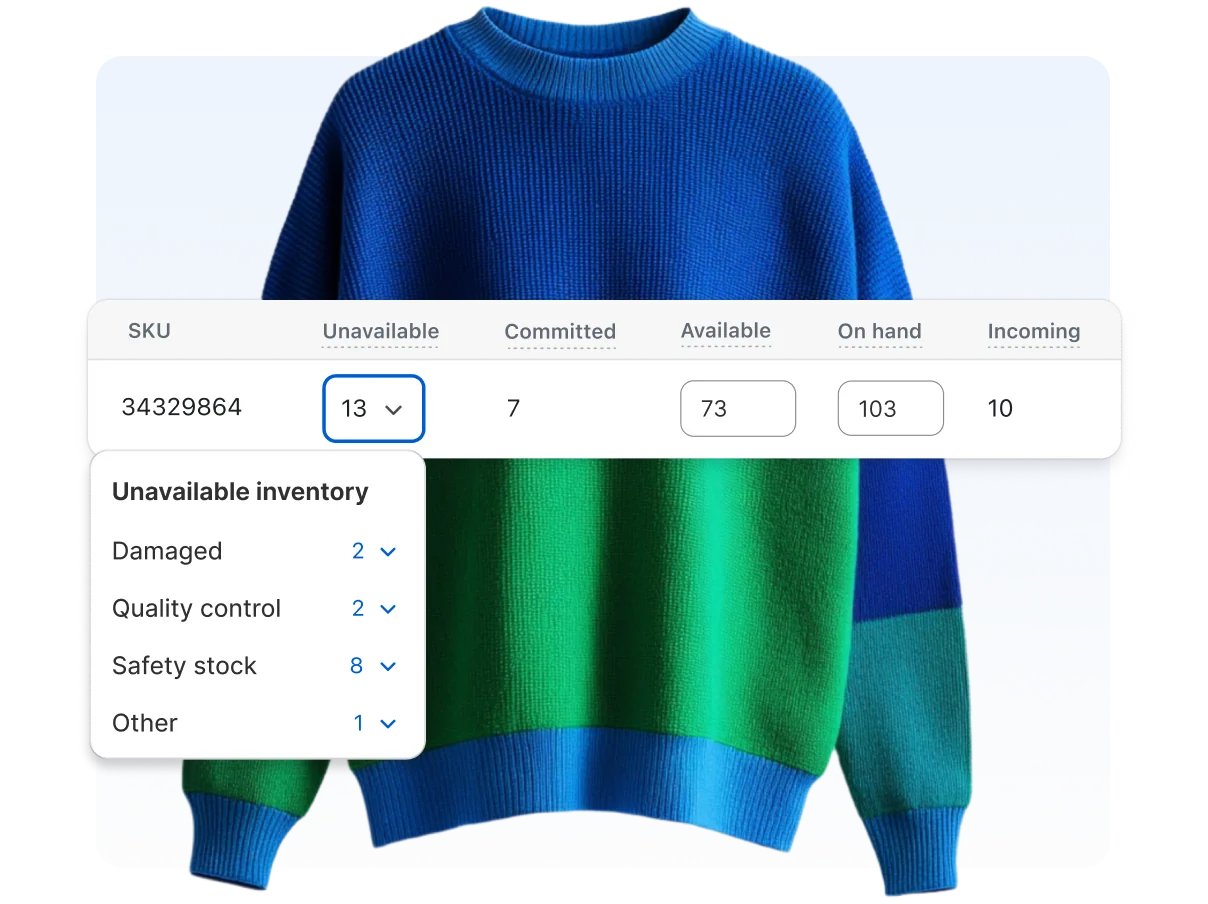
Create products and variants, then track stock quantities in the admin. Inventory can be managed at multiple locations and imported or exported by CSV. The merchant chooses how out-of-stock items appear and which locations can fulfill online orders, so inventory accuracy depends on the setup and ongoing updates.
The Orders page shows payment, fulfillment and return status. Staff can search and filter orders, capture payment, edit eligible orders, prepare fulfillment and process returns or refunds. Draft orders can support a sale initiated by phone, email or in person.
Understand the offer
Pricing and getting started
Shopify's Canadian pricing page currently advertises a three-day free trial followed, for most plans, by a temporary $1-per-month offer for three months. Its main plans are Basic, Grow, Advanced and Plus. The capture shows different monthly and annual billing figures; check the live CAD price, promotional eligibility, term and renewal amount before signing up.
The Canadian page displayed different annual prices in two same-day captures. The later capture shows Basic at $37 CAD/month, Grow at $99 CAD/month and Advanced at $389 CAD/month with annual billing; monthly billing shows $49, $132 and $517 CAD/month respectively. Plus starts at $3,400 CAD/month in the monthly column and has its own commitment terms. These are page observations on 2026-10-15, not a quote for a specific store; confirm the amount shown for your account.
Subscription cost is only one part of the budget. Card processing rates vary by plan; using a third-party payment provider can add Shopify transaction fees as well as that provider's processing charge. POS Pro, a paid theme, shipping labels and other optional services can add cost. Payment methods and availability also vary by country.
Look a little closer
Before you choose
Merchants can configure checkout shipping rates through their store's applicable shipping settings, then buy and manage supported carrier labels in Shopify when their location and shipment qualify. Shopify says shipping profiles and rates are gradually moving to shipping options by market, so merchants should follow the setup shown in their own admin. Label eligibility and discounts vary by country, carrier and plan; accurate product weights and package details are needed for meaningful rates.
Shopify POS connects in-person orders and inventory with the online store. Paid Shopify plans include basic in-person selling tools; POS Pro adds retail features for an additional monthly charge per location, subject to plan-specific inclusions. A merchant should compare the exact register, staff and pickup workflow it needs.
The Canadian comparison lists selling through social and marketplace channels, reports and custom analytics across the main plans. Connecting each channel and reviewing the resulting product, inventory and order flow still requires setup; those listings should not be read as proof that a particular external channel is available or performing for a merchant.
Build a sample product with variants and stock at the real fulfillment locations. Preview it in a theme, test the checkout and shipping-rate presentation, and follow a test order through fulfillment and a possible return. This reveals configuration work before a catalog or order history is migrated.
Count the people who need admin access, identify any retail locations and confirm whether own-carrier rates or other Advanced features matter. Compare those requirements with Basic, Grow, Advanced and Plus, including POS Pro costs where relevant.
Check the total monthly or annual amount after the promotion, card and third-party transaction fees, theme or app purchases, and shipping costs in the store's country. This profile is based on Shopify documentation; it does not claim hands-on setup, payment processing, delivery, integration behavior or sales outcome testing.
If you may move a product catalog to another store, test the images before closing the source store. Shopify's product CSV contains image URLs rather than image files; the destination can populate images only while the source images remain publicly viewable. Keep the old store and product listings available until a representative import finishes, then inspect the destination images. Treat the CSV as product data, not a standalone image archive.
Before moving customer profiles into Shopify, test a small customer CSV and review the overwrite option. Shopify says the CSV cannot transfer customer passwords or order information; overwriting an existing profile matched by email or phone replaces its customer data, including import tags. Plan customer sign-in and prior-order handling separately, and verify sample rows before a full import.
Ask for a test-order demonstration before staff handle customer returns: create the return before refund if return-reason reporting matters. Shopify says a refund can be issued without a return, but a return cannot be created after refund and that path records no return reason. In the same demonstration, check the refund amount, tracked-inventory restock choice and customer-notification option before confirming the action.
For phone or email sales handled as Shopify draft orders, saving a draft alone does not reserve tracked stock. Shopify says unreserved units remain Available to other customers; an explicit reservation moves tracked units to Committed and requires a selected expiry. Before sending a draft invoice or promising stock, check inventory tracking, the reservation choice and expiry with a harmless sample.
Manual capture can prevent immediate online-store card charges, but it adds an expiry task. Shopify says card authorizations must be captured within the provider's period; Shopify Payments provides a standard seven days, with eligible Plus transactions potentially longer. Its one-day expiry warning email requires Shopify Payments, and methods without manual-capture support still capture automatically. Before adopting this workflow, use a hypothetical order to assign who checks the authorization expiry and captures before a fulfillment delay; the setting does not cover POS orders.
Before using Shopify's order CSV for a migration or audit, export a harmless sample that includes a multi-item order and a refund. Shopify places additional line items on separate rows and leaves many order-level fields blank on those rows; verify that the destination reconstructs one order and its totals rather than counting each row as a separate sale. Shopify offers a separate transaction-history CSV, so compare the order and payment-event fields your destination actually needs. Small or current-page exports download, while date-based or larger exports are emailed. Reconcile the sample against the admin before planning a bulk handoff.
If your Shopify store uses return fees, compare the amount shown during a fulfilled-item return with the refund staff actually issue. Shopify's Help says configured return-shipping and restocking fees can appear when a return is created, but they are not automatically deducted from refunds; staff must manually adjust the refund amount. Return rules still apply to staff-processed returns when self-serve requests are off, and changed rules affect future orders only. Before rollout, walk through a harmless new-order example and reconcile the displayed fee, final refund and staff approval step.
For a Canadian store, test how a simulated risk order moves from creation to review and fulfillment. Shopify says fraud analysis may finish after an order is created, so risk-based Shopify Flow rules should start with Order risk analyzed rather than Order created. If Flow decides whether to capture payment, configure manual capture; automatic capture prevents that workflow from controlling capture. Fraud recommendations apply only to eligible online credit-card orders, and some order types receive none. Check your actual review, fulfillment and capture settings before relying on the workflow.
For a Canadian store moving stock between locations, walk through a sample inventory transfer before treating received units as sellable. Shopify records Accept as available at the destination, except that you choose whether to make an item available when its product is not stocked there; Reject records the receipt without changing location quantities. Cancel is for units never shipped and, for a transfer between your locations, returns those units to available stock at the origin. A partly received transfer stays In progress until the remaining items are received. Check the location quantities and transfer status before promising stock.
Before staff clean up Shopify orders, compare Cancel, Archive and Delete using a fictional order. Cancel halts order processing; Archive clears an order you are done with from the open orders list and displays it in Closed. Delete removes an eligible order from the admin and reports, but Shopify limits eligible order types, requires the order to be archived or canceled first, and disallows deletion when paid with a gift card. Check payment and fulfillment status before anyone takes an action on a real order.
Before canceling a Shopify plan to deactivate an eligible store, review its current bill, apps billed outside Shopify and domain renewal settings. Shopify says the store deactivates at the end of its current billing cycle; canceling the plan uninstalls apps and charges pending app usage, transaction and shipping-label fees. It advises checking externally billed apps so they do not keep charging after closure. Canceling the store does not cancel domain renewal, which needs separate attention in Shopify or at the registrar. Confirm the amounts, renewal dates and responsible account owners before a real cancellation.
Before staff edit a Shopify order, use an unfulfilled test order to trace the result. The edited total can show money owed to the customer or merchant, yet a separate refund or payment collection may be needed. Shopify does not recalculate shipping methods or rates, and a connected fulfillment app might miss a removed item. Check the revised total, payment or refund step, shipping amount and fulfillment record before relying on the workflow. Fulfilled items cannot be removed or have their quantity changed through order editing.
For a phone or email quote prepared as a Shopify draft order, check the product-price lock before sharing an invoice or checkout link. Shopify says locked draft product prices preserve the quoted amount when catalog prices change, while unlocked prices follow the current product price. Ask an authorized merchant to compare the customer's applicable product and market price with a representative draft in a no-send walkthrough, then confirm the amount that would be shared. This is a quoted-price check, not a stock reservation or a verified payment outcome.
For a long-running phone or email quote kept as a Shopify draft order, check its age before treating it as a durable record. Shopify says drafts created on or after April 1, 2025 are automatically deleted after one year of inactivity; any edit resets that timer. Have an authorized merchant walk through a fictional unsent quote and set a review reminder, including where the quote details should be retained if the customer has not checked out. Check the actual creation, activity and order status in the selected store. Sending an invoice or checkout link alone is not proof that the customer completed checkout or that the draft was preserved.
For stacked Shopify promotions, model a fictional cart with a product discount, order code and shipping code. Each discount must allow the other's class. Product discounts apply before order discounts on the reduced subtotal, then shipping discounts apply; if a pairing cannot combine, Shopify selects the best eligible discount or combination. Check the actual channel and checkout setup: combination is documented for Online Store, Storefront API and Shopify POS, while product-plus-order and order-plus-order pairings have eligibility requirements; same-item product stacking requires Shopify Plus. Have an authorized merchant inspect the displayed totals in a no-payment checkout before advertising the offer. This review did not operate a store or checkout.
Before moving Shopify's abandoned-checkout email to Shopify Messaging, treat the switch as one-way: Shopify says you cannot return to legacy emails. The new automation carries over prior recovery settings, so review the audience and wait time rather than assuming a fresh default. Its default email audience is marketing subscribers; the To field can be changed to All customers. Recovery automation applies to Online Store and Buy Button, not POS, Shop or third-party channels. Sketch fictional subscribed and unsubscribed checkouts in the intended channel, then have an authorized merchant check settings and email eligibility before enabling anything. This research did not change a store or send email.
For a phone or email quote held as a Shopify draft order, decide whether the customer will pay through an invoice checkout link or has already paid elsewhere. Shopify says an invoice link lets the customer complete checkout; marking the draft Paid before that payment arrives makes the invoice link stop working. In a fictional unsent quote, have an authorized merchant check the draft's payment status and intended collection path before sharing an invoice, then verify the resulting order and payment record if a real customer later pays. This research did not create a draft, send an invoice or take a payment.
30 distinct sources behind this profile. Research observed Oct 26, 2026. Features and offers can change.
View sources and research →
