Find your fit
Who it is for
Operations and IT teams can record a recurring procedure and give colleagues a guide they can revisit. Use a fictional or sanitized workflow for the first test, because captured screens may contain account names, messages or other private details.
Customer support or product teams can use walkthroughs to show users how to complete a task, then embed the result near help content. Decide whether readers need a sequential written guide or a click-through experience before choosing the format.
A training team with Windows or Mac application workflows should check the Plus-level desktop-capture right. A team building a hosted guide library should check the Plus Help Center and its domain/authentication settings rather than assuming the free plan includes it.
The work it supports
Core capabilities
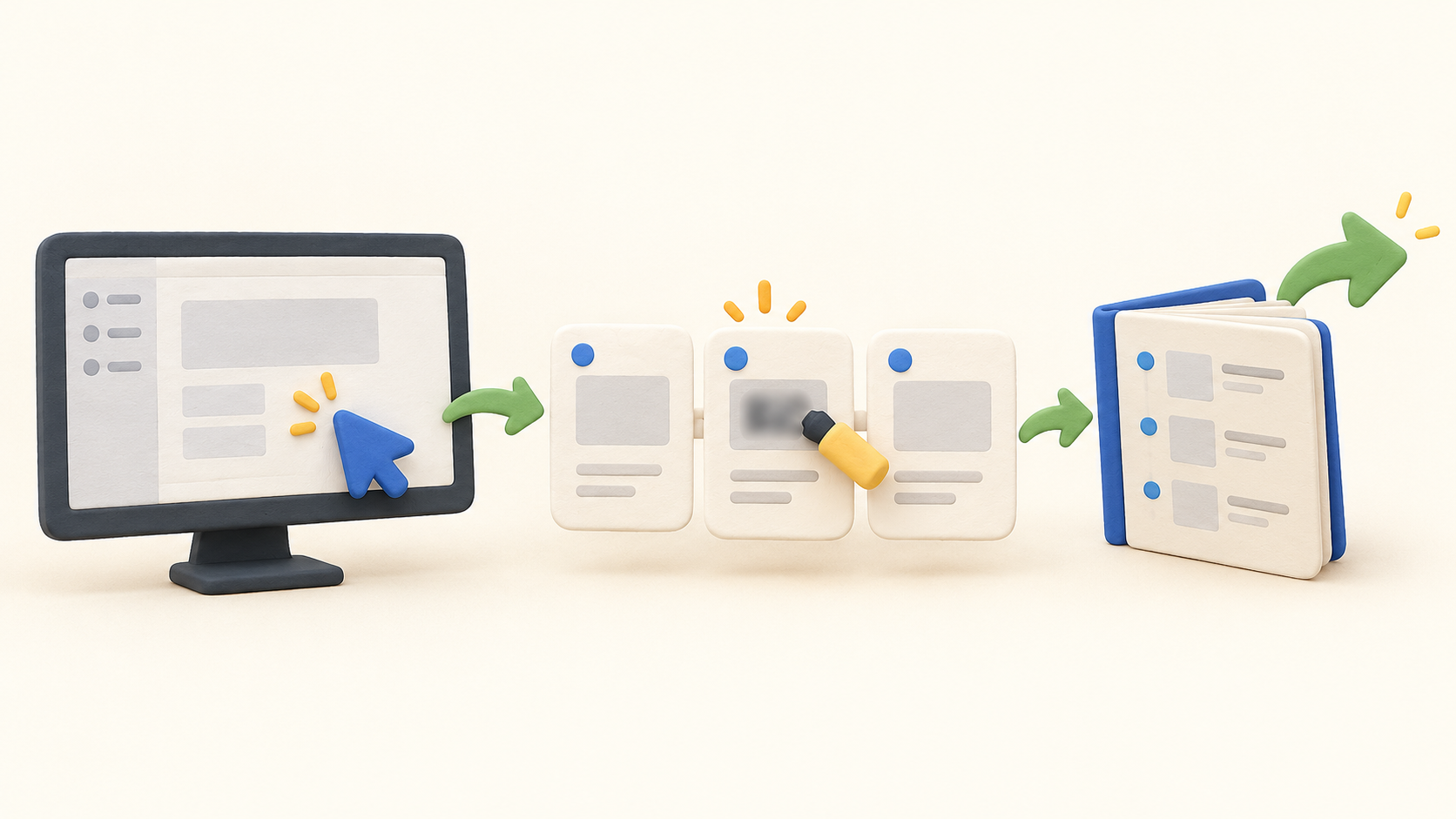
The browser extension records clicks, typing, navigation and other on-screen actions as steps. Guidejar’s help describes a soft 100-step limit for one capture; you can record another segment into the same guide rather than treating that as a total guide limit.
The desktop app covers workflows outside a browser on Windows or Mac. It is listed on Plus and Business, so a buyer documenting native desktop software should test the capture workflow in the offered plan.
A guide can be shown as sequential instructions, an interactive walkthrough, or a mix. Edit steps, add emphasis and check the order before sharing; conditional branching and some visual effects appear only on paid tiers.
Guidejar supports manual blur and annotations even in its free comparison. Inspect every captured screenshot and instruction for sensitive material before a public link, embed, PDF, HTML or video leaves the workspace.
Share by link or embed a guide on a website or help document. Guidejar also describes team and individual sharing; verify whether the intended audience has view or collaboration rights before sending the link.
The HTML export is a step-by-step document, while an interactive walkthrough uses an embed script. PDF export is listed on Starter; HTML/Markdown begins on Pro; MP4 video begins on Plus and has a 30-minute export ceiling.
Paid plans include feedback and analytics, with a Help Center beginning on Plus for organizing guides under a custom domain. Decide how the library will be found and who can see it before connecting a public domain.
Optional AI can rewrite instructions, generate FAQs, translate or narrate a guide. It runs only when requested and consumes credits. Review the generated wording and audio against the real workflow before publishing.
Understand the offer
Pricing and getting started
Starter is free and the detailed comparison lists five guides, browser capture, unlimited views, links, embeds and PDF export. Its summary and feature matrix disagree about removing the Guidejar watermark, so confirm branding rights before relying on that detail.
The captured USD monthly display shows Pro at $19 for one user, Plus at $25 for one, and Business at $75 for five. Additional users are listed at $19, $25 and $15 per month respectively; yearly billing is offered, so confirm the active checkout term and total seats.
Pro adds unlimited guides, Guidejar AI, feedback/analytics and HTML/Markdown export. Plus adds desktop capture, a custom-domain Help Center and MP4 export. Business adds Help Center Ask AI, voice cloning, auto-redact PII and Help Center SAML SSO; multiple workspaces are marked as a paid add-on.
AI uses monthly credits and Guidejar says usage is shown before an action runs. Business shows 20,000 credits per seat in the detailed comparison and 100,000 total for its five included users in the summary. Confirm how credits scale with the purchased seat count before budgeting AI-heavy workflows.
Enterprise has custom pricing from ten users and lists broader SSO, workspaces, AI-credit and support terms. Request a quote that names the exact integrations, data controls, seats and export rights needed for the rollout.
Look a little closer
Before you choose
Record a short sanitized process first. Check captured images and text field contents, then use manual blur; Business auto-redaction may help with faces, email addresses and numbers but still requires a human review of the finished guide and every export.
Test the destination as well as the guide: open a shared link as the intended reader, verify embed behavior, and compare a step-by-step HTML or PDF export with an interactive walkthrough before migrating existing documentation.
For the purchase decision, count authors, guides, desktop workflows, Help Center needs, video exports and likely AI actions. Confirm the pricing-page conflicts, additional-seat charges and privacy settings with Guidejar before publishing business or customer procedures.
9 distinct sources behind this profile. Research observed Oct 26, 2026. Features and offers can change.
View sources and research →
