

Find your fit
Who it is for
The Free and Essentials plans fit an individual managing a small number of channels; Team adds multiple members and content approval workflows. Agencies should count actual connected channels and decide who may draft, approve and publish before choosing a paid tier.
Network coverage differs by tool. A channel that can publish may lack advanced analytics or Community replies, and some formats finish through a phone notification. Check the vendor’s channel matrix for the exact account type and post format you use.
The work it supports
Core capabilities
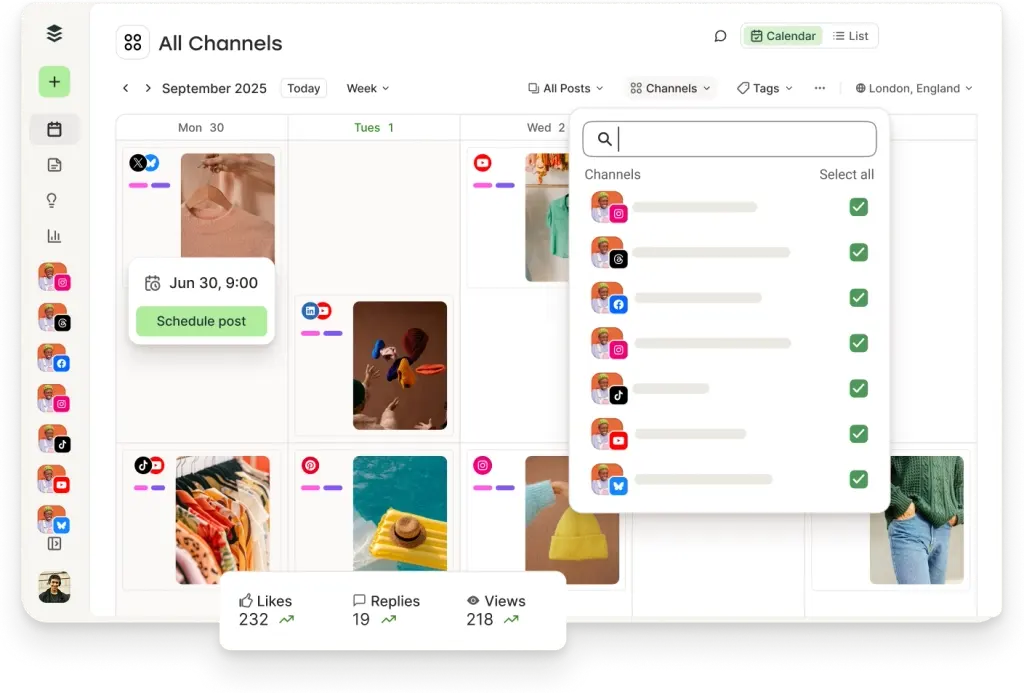
Set recurring time slots or choose a date, then queue a post for each connected channel. Most supported formats can publish automatically; Instagram, TikTok, YouTube and Facebook Group formats may require a reminder and completion in the native app.
Review follower growth, engagement, impressions and recent post results in Insights. The Free plan includes recent history; custom date ranges, some exports and advanced analytics belong to paid plans. Buffer retired its older Analyze product in October 2026, so buyers should evaluate current Insights rather than old Analyze screenshots.
Community brings supported channel comments into one workspace. A user needs Full Access to reply, while View Only cannot. Newly connected channels pull about 30 days of comments, and unsupported channel or post types need native handling.
Understand the offer
Pricing and getting started
Free supports up to three connected channels and ten scheduled posts in each channel’s queue. Those are simultaneous queue slots, not a lifetime posting cap; slots reopen as posts publish. Free also includes basic Insights and Community.
Essentials removes the small Free queue limit and adds paid analytics features for one user. Team adds multiple members, access levels and approvals. The pricing page changes with channel count and monthly or yearly billing; get the full total for your channels and currency before subscribing.
The vendor offers a fourteen-day paid-plan trial and a continuing Free plan. Before starting a trial, check the chosen channel count, billing setting and what happens to queued content or team access when a paid trial ends.
Look a little closer
Before you choose
Anyone can save drafts; the Team plan adds a review step before a post enters the queue. Test the roles and notification path with the actual approver so a post is not silently left waiting.
In a pilot, schedule one real example for each required network, including a notification-based format, then verify the resulting native post and any failed-post notice. A queued state alone does not prove publication.
Test replies, older comment visibility and role permissions with representative channels. Community does not cover Substack Notes, and some post types have no comments available. Confirm these limits before assigning a social inbox to staff.
Buffer's current guidance lists ten queued posts per channel on Free and up to 5,000 per channel at one time on Essentials and Team under its fair-use policy. These are simultaneous queue capacities, not monthly publishing caps; slots reopen as posts publish. Check each social network's daily posting limits before planning a large campaign.
Some newer feature descriptions are still inconsistent. For example, pricing lists Comment insights as included, while the Community page labels it coming soon. Treat that feature as unconfirmed until Buffer clarifies its availability.
Before relying on Buffer to recover from a disconnected channel, check the Post Failures and Channel Connection Updates notifications. Refreshing the connection keeps scheduled content, but failed posts do not retry automatically. Inspect the native post before retrying: Buffer documents a Facebook failure message that can appear even when the post is live. Re-add to Queue uses the next posting slot, while Retry Now publishes immediately. Confirm the result on the social network.
Before filling Buffer queues from a CSV, download a fresh template for each channel and try a small batch. Buffer says Free accepts up to ten posts per channel per upload, subject to remaining queue slots, while paid plans allow up to 100; rows over the limit can be skipped without an error. Check Posting Time cells against the required YYYY-MM-DD HH:mm format, explicitly save reviewed rows to Queue or Drafts, then compare the resulting posts with the source CSV and inspect an error download if offered.
Before a Buffer trial ends or a plan is downgraded, check which channels will stay active and review their queues. Buffer says channels above the plan's slot limit lock; queued posts remain but stop publishing until the channel is unlocked, and missed times may need rescheduling. Removing a channel to free a slot permanently removes its queued posts, analytics and post history. Record which channels and posts must be kept, then verify publishing and reschedule where needed after the change.
If your team sends posts to Buffer through an API or connected tool, check each channel’s Publish access before expecting them to be scheduled. On the Team plan, a member with Needs Approval has API-created posts saved as drafts until an approver moves them forward; Full Access can schedule and publish for the assigned channel. Approval-request emails depend on the approver’s Collaboration notification setting. Try a harmless draft and verify the approver and notification settings before connecting a live publishing workflow.
To pause Buffer publishing for a campaign or interruption, pause each affected channel's queue separately. Scheduled posts will not send while that queue is paused, and the calendar view does not show the pause. When you resume, queued posts become active in the next available slots in their original order; posts that failed at a custom date and time may need rescheduling. Check each channel's queue and updated times before expecting posts to publish.
When a Buffer publishing plan changes, select the affected channel before reordering its queue. Drag-and-swap and Move to Top or Next Available Slot can move eligible queued posts, but custom-scheduled posts stay locked in place. Shuffle can reorder eligible Next Available posts among the first 200 queued posts; custom-date posts and posts placed in an empty slot do not shuffle. Check the channel's resulting order and publish times before relying on it.
If a Buffer Team member leaves, removing them from the organization does not clear their work: Buffer says their scheduled posts, saved drafts, and posts submitted for approval remain in the respective queues. As part of offboarding, review each affected channel's queue, drafts, and approvals, decide which retained posts should still publish, and confirm that the organization owner or a remaining member with Full Access for that channel will handle pending approvals.
Buffer uses a separate posting timezone and recurring schedule for each connected social channel. Changing the account's default timezone applies only to channels connected later; the calendar can show your browser's local time even though each channel's timezone governs publication. Before relying on a shared calendar, check existing channel settings and have an owner or Full Access user compare a harmless sample post's calendar display, individual channel queue, and intended publish time across regions, including a daylight-saving change.
Buffer can display a draft at a planned time on the calendar without making it a publishable scheduled post. A person with Full Posting Access must move it from Drafts into the publishing queue before that time; if the time passes first, Buffer marks it Overdue and a new time must be chosen. Scheduled drafts can also appear in the All Channels Queue view with a draft banner, so check that banner and the final scheduled status with the person responsible for publishing before treating a campaign date as committed.
Buffer Insights CSV export is on paid plans and downloads a ZIP containing summary.csv, posts.csv and timeseries.csv. The export uses the selected date, tag and channel view, but Buffer says its Metrics chart ignores date and tag filters and shows full-year data. View-only channel members cannot export; an All Channels export with mixed access includes only channels the member can export. Before using the files for a client report, check channel permissions and inspect the time-series rows against the intended reporting period.
For Buffer channels that use notification publishing, plan a human handoff after scheduling. Buffer marks these posts with an orange phone icon and sends the reminder to connected devices for the account owner and channel users with Full Posting Access; a person then finishes the post in the native social app. Buffer's Sent tab can show a sent notification, so verify the native post itself before reporting publication. In an authorized harmless pilot, check the mobile app and push permissions, send a test notification, confirm the intended recipient receives it, and review the resulting platform post.
Buffer treats Start Page as a publishing channel: it uses one of the Free plan's three channels, while publishing it on a paid plan requires an additional channel fee. The page is not public until Publish Start Page or Publish Changes; Buffer currently does not provide Start Page analytics. Deleting the page does not automatically remove a paid channel slot, and its posts and data cannot be recovered. For a fictional, no-publish rollout, have an authorized admin compare the intended channel budget and reporting needs, then confirm the selected plan's fee and separate paid-slot removal path.
When planning one Instagram post for both Instagram and Facebook, check each destination separately. Buffer says an Instagram post it publishes will not automatically share to Facebook even when Instagram's automatic sharing setting is enabled. Its guide says to connect the Facebook Page as a separate Buffer channel and schedule the post to both, or publish directly in Instagram to use native Facebook sharing. Compare a fictional two-channel schedule and the intended destinations before a real campaign, confirming account connections and permissions without publishing a post.
On Buffer's Team plan, channel permissions do not hide every tagged post. Buffer says all organization users can view all tags and their associated posts, including posts for channels they cannot access; those users still cannot open the restricted channel's avatar or queue. Before tagging sensitive client or campaign work, map a fictional member with access to three of five channels and check whether tagged posts on the other two would disclose more than intended. Ask an authorized admin to confirm the intended access policy before using tags for that work; this guide does not establish what an untagged post exposes.
On Buffer's Team plan, rejecting a draft awaiting approval returns it to Drafts so its creator can revise it. Buffer says the creator receives a rejection email only if Collaboration notifications are enabled. A reviewer can add a Note to explain the requested change, but staff should check current notification settings and the draft's status rather than assume that feedback was emailed. Before depending on this for a client deadline, map a fictional author and approver and confirm that a revised draft receives explicit approval into the next queue slot or its preset time.
29 distinct sources behind this profile. Research observed Oct 27, 2026. Features and offers can change.
View sources and research →
