
Find your fit
Who it is for
It serves individuals and families managing personal logins as well as teams organizing shared workplace credentials. Individual accounts and organization subscriptions provide different sharing and administration options.
The work it supports
Core capabilities
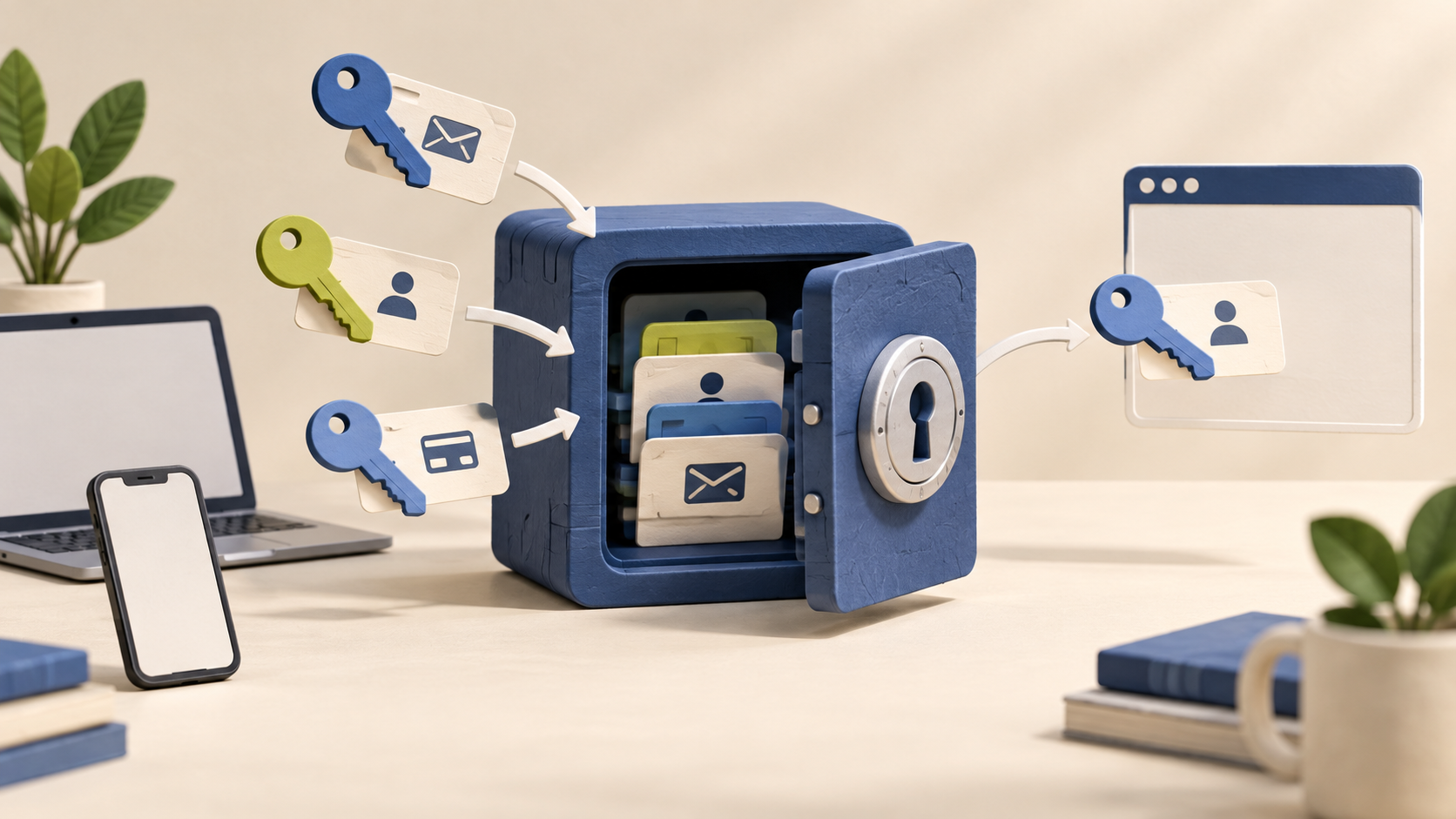
Store passwords and other saved details in a vault that can be accessed across devices. The advertised unlimited password storage should be distinguished from attachment allowances and the number of people included in an organization plan.
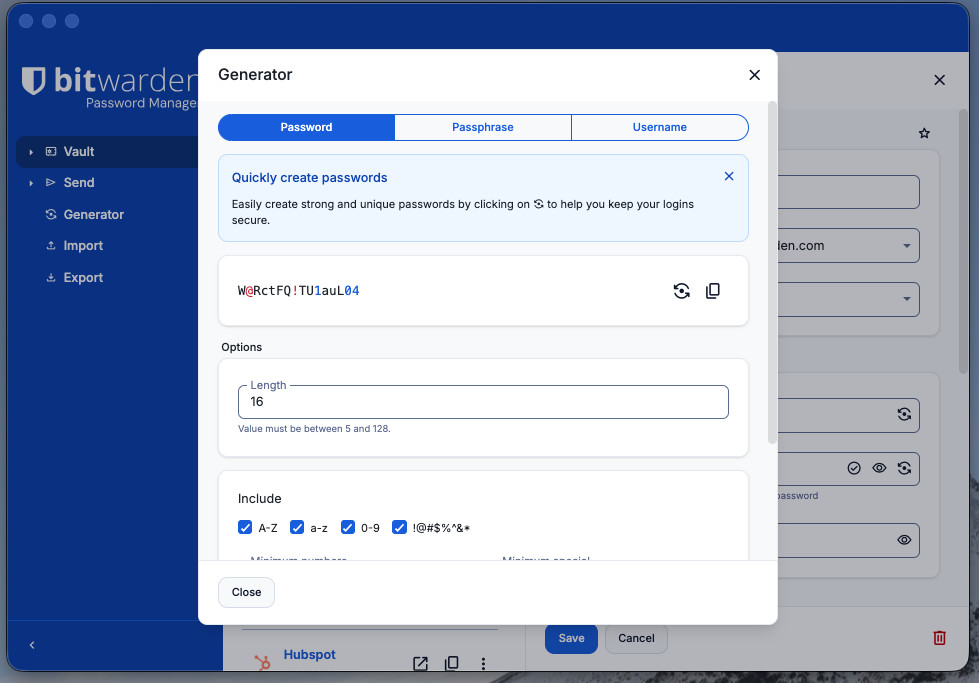
Create strong passwords and unique usernames with the built-in generator. Password generation is documented across the Bitwarden apps, with username generation available in the web vault, browser extension, desktop and mobile apps.
Fill saved login credentials with autofill. Browser-extension autofill needs the saved login to have an assigned website address, and the matching and autofill settings should be configured for the sites and devices you use.
Understand the offer
Pricing and getting started
A free individual plan includes core password management. The plan documentation also describes a Free organization for sharing with one other person in up to two collections. Paid personal and organization options add features and controls; confirm current prices and entitlements for the intended group.
Look a little closer
Before you choose
Choose sharing and advanced features deliberately. Emergency access and encrypted attachments are marked as paid-plan features, while workplace organization subscriptions have their own user-based pricing and administration options. A free individual vault is not the same package as a business organization.
Set up the recovery options appropriate to your account before relying on the vault. Bitwarden cannot retrieve the master password for you; emergency access or organization recovery can help only where available and configured. If none of the documented access methods works, Bitwarden says it cannot recover the account or its data.
For an Enterprise rollout, check which members are enrolled in Bitwarden account recovery before treating an administrator reset as a fallback. Bitwarden says the policy must be activated and members enrolled. If automatic enrollment is enabled, it applies only to new joiners after activation; earlier members must self-enroll. Inform staff that recovery could allow an administrator to access personally owned items, and verify the agreed recovery steps with a non-sensitive test account. No real recovery or vault data was accessed here.
Before offboarding staff, check who owns representative vault items. Bitwarden says removing a member usually leaves their personal account and My vault items with them, while items shared into an organization remain in its vault. Its optional Centralize organization ownership policy changes the handoff: My Items become an organization collection after removal, and admins can assign access. Use fictional entries to verify the intended policy, item ownership and successor access before relying on the process.
Before migrating Bitwarden data, test with dummy items in each relevant vault. An individual export excludes organization-owned items; exporting all organization items requires an owner, admin or appropriately permitted custom role, while members can export organization items from collections they manage. For an individual vault transfer to another Bitwarden account, choose password-protected encrypted JSON: account-restricted encrypted JSON cannot be imported elsewhere. CSV omits cards and identities, and only JSON includes stored passkeys and SSH keys. The ZIP that includes attachments is currently limited to individual vaults, so check how team attachments will be retained and verify a sample import before retiring the source.
Before temporarily revoking a Bitwarden organization member, check their sign-in method and item ownership. Revocation stops access to organization vault items and SSO and frees the subscription seat; the member can later be restored without reinvitation if policy compliance allows. Bitwarden warns that members without master passwords, including trusted-device or Key Connector users, may be locked out of their whole account. Compare this reversible state with permanent removal and rehearse the access and recovery path using non-sensitive items before changing a real member.
Plan Bitwarden Emergency Access before an emergency. A premium user can add a trusted contact, but Bitwarden says an organization's Automatic confirmation policy makes the feature unavailable. View allows reading all items in the individual vault; Takeover replaces the owner's master password and removes existing two-step login methods. The owner may approve a request early; otherwise access is granted after the chosen wait time. Rejecting a request leaves the contact in place. Review the access level, wait period, contact acceptance and fallback plan with a non-sensitive test account.
Before sharing a Bitwarden text Send, compare its expiration date and view limit with its separate deletion date. Expiration or a reached view limit ends recipient access while the sender can still access the Send until deletion. After the deletion date, Bitwarden permanently removes the Send; deleted Sends do not enter Trash and cannot be recovered after deletion is confirmed. Check the intended access window and retain any needed record outside Send.
Before relying on Bitwarden during travel or an outage, check the app's offline behavior and timeout action. An already unlocked app can read vault data offline, but cannot add or edit items, attachments or Sends, or import items. Ordinary Lock keeps vault data on the device for offline unlocking; Log out removes that local data and requires an online sign-in. For workplace single sign-on, check the decryption setup: Bitwarden says trusted-device login and unlock still require internet. Verify that needed items are present and rehearse the chosen app, timeout and unlock method with a harmless item before depending on offline access.
Before treating a Bitwarden organization collection as private from administrators, check the “Allow owners and admins to manage all collections and items” setting. When on, owners and admins gain Manage collection rights across organization collections; active users’ My Items are excluded when the Centralize organization ownership policy applies. When off, direct collection management requires assigned Manage collection permission, but Bitwarden says owners and admins can still export organization-owned data, excluding members’ individual My Items. They can also receive temporary Add Access to a collection with no manager until one is assigned. Model the intended admin, export and successor-management paths with non-sensitive test collections before placing team credentials.
Bitwarden's Teams and Enterprise event logs help review organization activity, but check their limits before relying on them for an investigation. Bitwarden says logs are retained indefinitely, while a view covers at most 367 days at a time; the web app exports CSV and the Public API returns JSON. Most client events are sent about every 60 seconds, and events may be absent if a client cannot reach the API or is modified not to send them. Verify a harmless event, the date-range export and any SIEM handoff against your own audit requirements.
Before importing shared credentials to a Bitwarden organization, decide which permitted role and collection will receive them. Bitwarden says organization imports use the web app: owners, admins and permitted custom roles can use the Admin Console, while members with Manage collection permission can import to collections they manage. The import does not check for duplicates, and items without a collection assignment can cause an error. Try a small fictional batch, confirm collection placement, and track what was imported before repeating a file.
Before relying on Bitwarden account passkeys for sign-in, test authentication and vault unlock separately. Bitwarden supports this flow in its web app and Chromium-based browser extensions. A passkey can authenticate login, but unlocking the vault without another method requires vault encryption set up for that passkey and a PRF-capable browser and authenticator. Otherwise, a master password or another configured unlock method is needed. The flow is unavailable in organizations using Require SSO, SSO with trusted devices or Key Connector. In an authorized non-sensitive pilot, check the actual device and policy, confirm both steps, and retain a recovery path for a lost passkey.
Bitwarden Send has distinct recipient controls worth checking before sharing sensitive text or a file. Anyone with the link is the default; a sender can instead set a password, while paid Premium, Families, Teams and Enterprise users can select Specific people and list permitted email addresses. A recipient with the link then enters a matching address and an emailed verification code to open that Send. In a fictional, secret-free walkthrough, compare these three routes, confirm the selected plan and organization policy, and check how the code would reach the intended recipient. No real Send, secret, link or email was created here.
Bitwarden's autofill suggestions can be broader than a saved login's exact address. Its default Base domain matching offers a login across subdomains of the same base domain; Host narrows the match to the hostname and any specified port, while Exact requires the full URI. An item-level choice can override the account default. Before a team uses separate logins on sibling subdomains, compare two fictional entries in the browser extension and check where each is offered. Confirm organization settings and device behavior too: Android cannot match port or path, and iOS keyboard suggestions use Base domain matching even when a narrower method is selected. Verify the address before filling; a suggestion alone does not establish that a site is trusted.
Before counting on Bitwarden to recover a password you generated but did not save, distinguish two histories. A saved Login item keeps its last five password entries; an edited hidden custom field also uses one of those slots, and logging out or switching clients does not clear that item history. Generator history instead stays on the client where the value was made, does not sync to other clients, and is erased on logout from that client. Opening either history reveals the old values in plain text. Have an authorized evaluator compare fictional generated-but-unsaved and saved-and-edited values across two clients, then verify the destination site's actual credential separately before relying on a recovery plan.
25 distinct sources behind this profile. Research observed Oct 26, 2026. Features and offers can change.
View sources and research →
